> ## Documentation Index
> Fetch the complete documentation index at: https://docs.points.casa/llms.txt
> Use this file to discover all available pages before exploring further.
# Welcome to PointsCasa
> PointsCasa helps you turn credit card, airline, and hotel points into real award flight bookings by comparing balances, programs, and transfer paths.
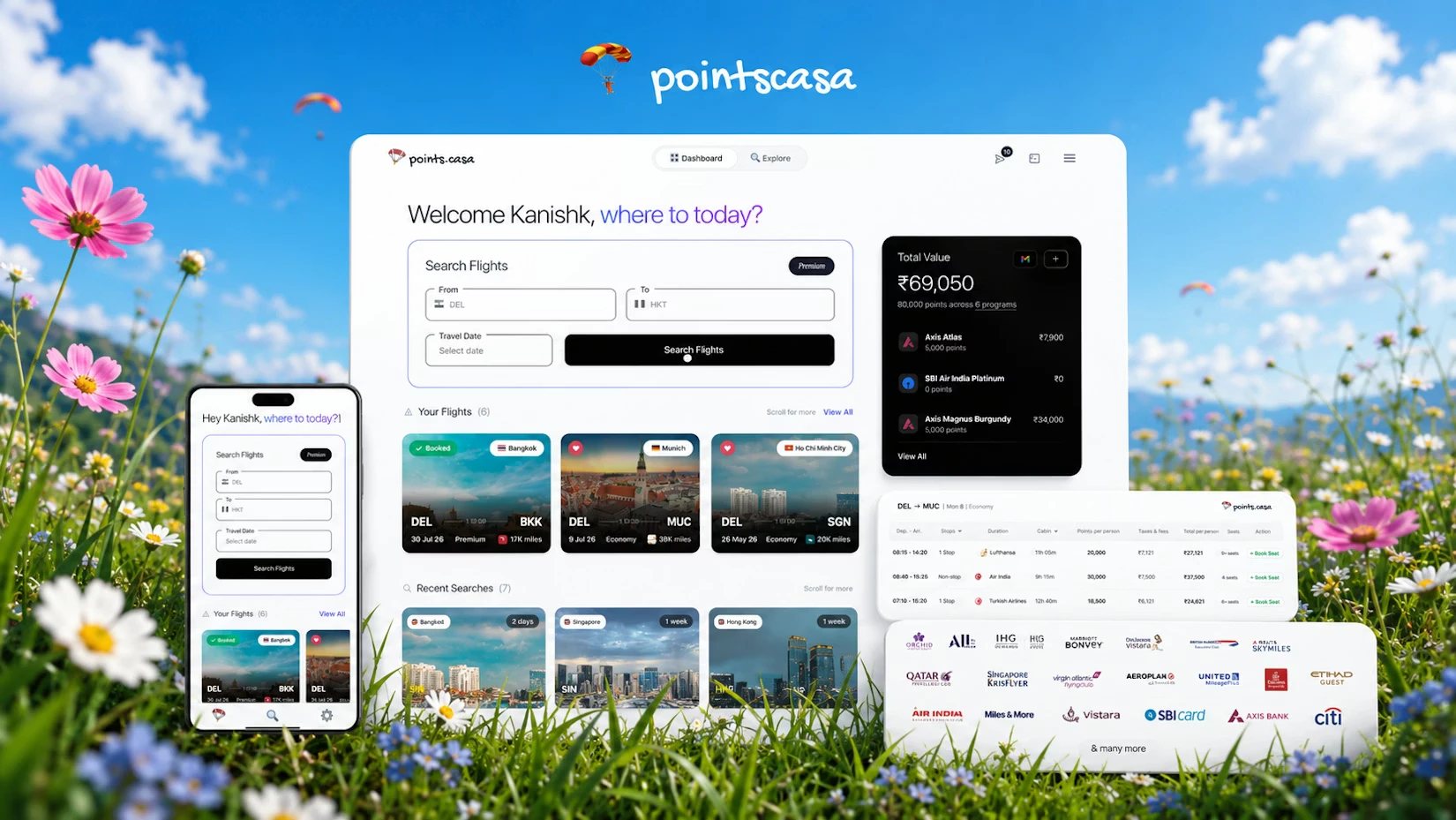 PointsCasa helps you turn scattered points into real travel options.
Most people have points in a few places: credit cards, airline programs, hotel programs, and old balances they forgot about. The hard part is knowing which ones can actually get you to the trip you want.
That is what PointsCasa is for. 🚀
Add the programs you use so PointsCasa can think from your real wallet.
Find award seats across supported airline and loyalty programs.
Read cabins, taxes, live status, routing, and whether a result is worth chasing.
See where to transfer, what to book, and what to check before you move points.
Start with a real trip. PointsCasa is most useful when it can compare actual routes, dates, balances, and booking paths.
## Life with PointsCasa
* check airline sites one by one
* guess which points can transfer where
* calculate ratios manually
* compare cash vs points in a spreadsheet
* worry about stale availability before booking
* add your balances once
* search award options across supported programs
* see taxes, cabins, stops, and freshness together
* get a practical booking path
* check points vs cash when prices are available
## Introduction
Most trips can be booked two ways: with cash, or with miles and points.
PointsCasa is built for the points side. It helps you find [award flights](/getting-started/what-are-award-flights), understand the real cost, and see which booking paths work with your balances.
The final booking still happens on the airline or loyalty program site.
## Start here
Use the docs in this order if you are new:
Tell PointsCasa which programs you have points in. This makes search and booking advice more useful.
Search your route, date, cabin, and passengers.
Check miles, taxes, stops, freshness, and whether the result fits your balances.
Open the booking page for the result you like and follow the next steps.
## What these docs cover
These docs explain how to use PointsCasa:
* setting program balances
* finding award flights
* reading search results
* using the booking guide
* comparing points vs cash
* checking live vs cached results
* using Flight Explorer, Command Centre, and the transfer calculator
* referral, billing, and common questions
They are not credit card rankings or bank reward strategy guides.
PointsCasa helps you turn scattered points into real travel options.
Most people have points in a few places: credit cards, airline programs, hotel programs, and old balances they forgot about. The hard part is knowing which ones can actually get you to the trip you want.
That is what PointsCasa is for. 🚀
Add the programs you use so PointsCasa can think from your real wallet.
Find award seats across supported airline and loyalty programs.
Read cabins, taxes, live status, routing, and whether a result is worth chasing.
See where to transfer, what to book, and what to check before you move points.
Start with a real trip. PointsCasa is most useful when it can compare actual routes, dates, balances, and booking paths.
## Life with PointsCasa
* check airline sites one by one
* guess which points can transfer where
* calculate ratios manually
* compare cash vs points in a spreadsheet
* worry about stale availability before booking
* add your balances once
* search award options across supported programs
* see taxes, cabins, stops, and freshness together
* get a practical booking path
* check points vs cash when prices are available
## Introduction
Most trips can be booked two ways: with cash, or with miles and points.
PointsCasa is built for the points side. It helps you find [award flights](/getting-started/what-are-award-flights), understand the real cost, and see which booking paths work with your balances.
The final booking still happens on the airline or loyalty program site.
## Start here
Use the docs in this order if you are new:
Tell PointsCasa which programs you have points in. This makes search and booking advice more useful.
Search your route, date, cabin, and passengers.
Check miles, taxes, stops, freshness, and whether the result fits your balances.
Open the booking page for the result you like and follow the next steps.
## What these docs cover
These docs explain how to use PointsCasa:
* setting program balances
* finding award flights
* reading search results
* using the booking guide
* comparing points vs cash
* checking live vs cached results
* using Flight Explorer, Command Centre, and the transfer calculator
* referral, billing, and common questions
They are not credit card rankings or bank reward strategy guides.